Challenges of Teaching in a Pandemic Solved with Kami

by Marcela Velikovsky

“EdTech” is a column of Language Teaching Lab where we highlight the use of educational technology in the world language class

To say that teaching with COVID-19 in 2020 was challenging is an understatement!

Whether you had to teach 100% virtually or a hybrid combination of online and in person, the challenge in the world language classes was how to address all modes of communication fairly equally. The Google Meet breakout rooms were okay, but I couldn’t get the whole conversation if I wanted to listen to all my students. Sometimes they would see me join the breakout room and become nervous so I felt I was disrupting their conversation.  I wasn’t sure how to get my students to do interpersonal speaking in real time, listen to them, give them feedback, and assess them without spending all my waking hours on the computer. I was becoming crazy with all the different tabs I needed open on my laptop in order to plan and teach my lesson.

One day, my prayers were answered. The Director of Innovation and Educational Technology at my school introduced us to Kami. My challenges were solved with Kami.
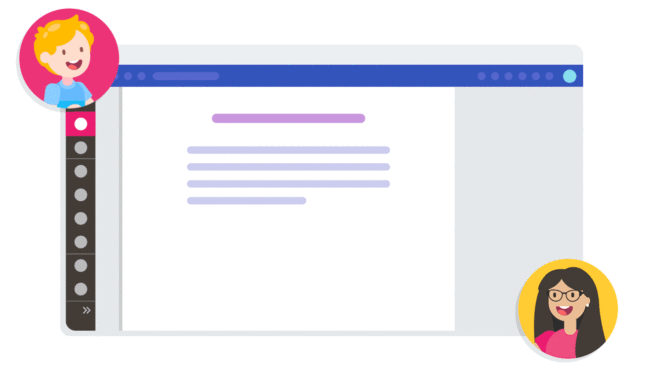
What is Kami?

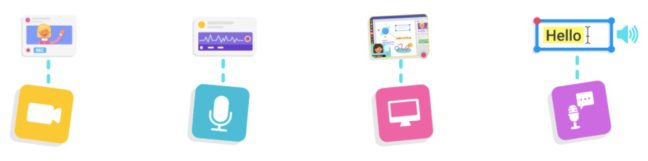
Kami is a digital classroom tool that helps teachers create flexible and collaborative learning environments. I just couldn’t believe my eyes when I tried it and discovered all I could accomplish with only one tool! It was amazing! Kami Interacts with any documents; it creates, sends, and grades assignments all from one place, it works online or offline, and enables students to interact with teachers, resources, and each other by using text, freehand, audio, voice-typing, or video.
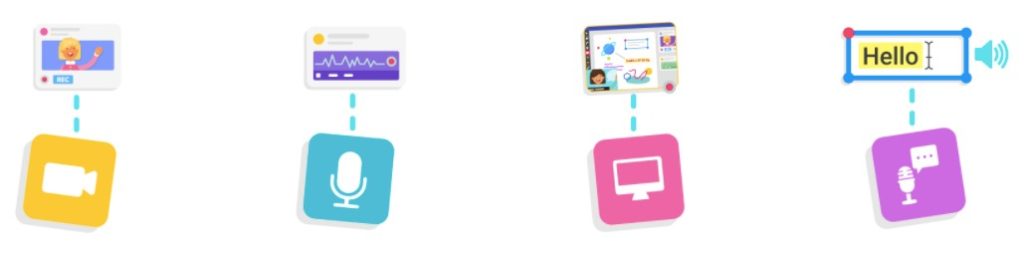
https://www.kamiapp.com/

I’m including their video so you can learn a bit more about it.

How I Use Kami

For Interpersonal Speaking Assessments

First, I would create a document with the directions and prompts to assess interpersonal speaking and give it to the student-partners. One of the partners made a copy and shared it with his classmate so they could work together while maintaining the safe 6-feet-apart distance if both were at school and also if one partner was at school and the other was at home. Taking turns, they would use the voice feature to record themselves and complete the conversation. They shared it with me and I would give them feedback inserting an image of the rubric and using either the voice or text message to focus on their strengths and areas for growth.
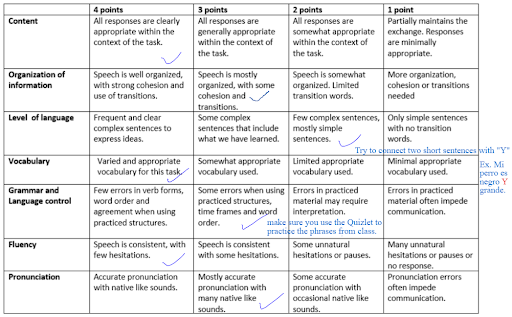
Interpersonal Speaking Rubric

For Reading Aloud

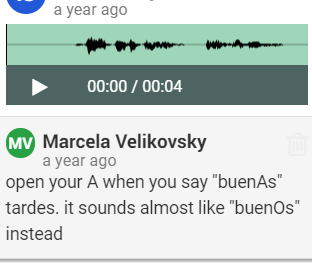
I also use Kami as a practice tool for reading aloud. I can open any PDF text with Kami and I record my own reading aloud to model and then have students read aloud while they record themselves. This way I can see how they decode the text and what sounds give them the most trouble. In my feedback, I can share some strategies on how to articulate and connect sounds so the listener can understand what they say.

For Interpretive Reading and Annotation

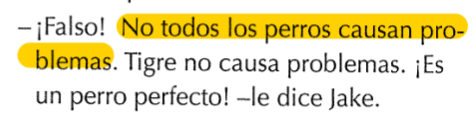
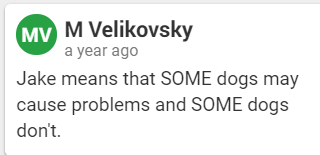
When we read novellas in class, I use a digital copy of the chapter to project on my screen. This way, students can see when I highlight, underline and write as we read along so they do it in their own text. The writing tool allows me to write new vocabulary, but also to verbalize our thinking as we read and make connections to the text. Students write annotations in sticky notes that add to the pages in their book. This is an example of Brandon Brown quiere un perro, by Carol Gaab:
For Presentational and Collaborative Writing

I can open my students’ projects and see who wrote what and when. This helps me know exactly how I can better support them depending on their needs. I can also make a copy for each partner so each student receives individual feedback.

Why I like Kami

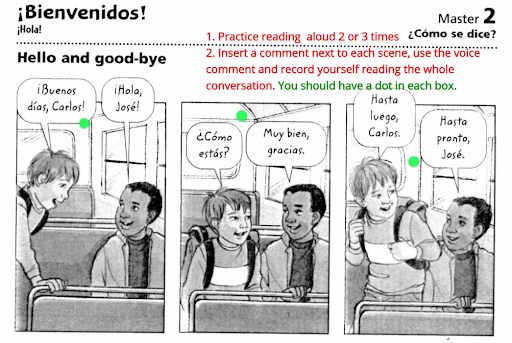
Being a language teacher, I design lessons that include all modes of communication, so having such a versatile tool that allows me to interact and use what I already have in one platform is my dream come true! In addition, I always have lots of feedback for my students and time does not allow me to conference with them in person as I’d like. So another perk of this fantastic tool is that it allows me to give them feedback right away and directly on the assignment that they virtually hand-in. I can underline or circle things in their writing at the same time I record or write my explanation.

This is an example of how I used Kami with my novice students
And you? How have you used Kami? If you haven’t used it yet, are you ready to try?

Credits and Resources

-https://www.kamiapp.com/

Brandon Brown quiere un perro by Carol Gaab
Olivia y el violín: World Languages / Music Interdisciplinary Connections

Interdisciplinary Connections” is a column of Language Teaching Lab to show specific examples of connections between world language teaching and other subjects at school

by Vicky Masson

Interdisciplinary connections

Long-lasting learning happens when students’ minds and hearts are involved and invested in their own growth, when what is being taught sparks their curiosity, and when they make connections. The more senses involved, the better. Interdisciplinary connections are powerful experiences for student learning.

What is Olivia y el violin

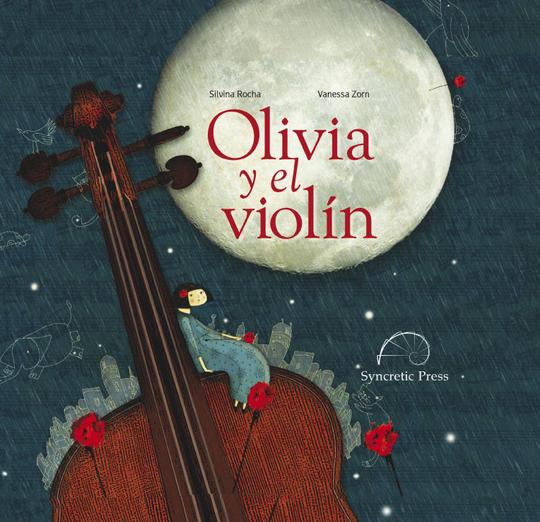
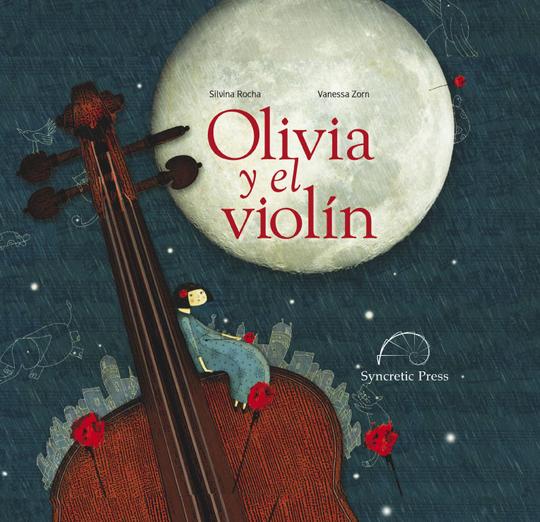
Olivia y el violín by Silvina Rocha and illustrated by Vanessa Zorn is a picture book in Spanish about a girl named Olivia who is in search of creating beautiful melodies using her violin. She experiments with different sounds and tries new ways of playing music with her violin. At times she is frustrated, at times she is sad, and at times she wants to give up. However, Olivia persists. She persists till she succeeds in creating music. 

https://syncreticpress.com/collections/childrens-books/products/olivia-y-el-violin
Olivia y el violin – Syncretic Press

Idea on how to integrate it with music

When I read the book, I absolutely loved it! At that time I was teaching Spanish in elementary and middle school. The music teacher also taught strings in elementary to second and third graders, and to middle school students. It sparked an idea in me. We got together and looked at  the book illustrations. Then, we talked about the content of the book and how it would be a novel way of introducing her second and third graders to violin lessons, so we gave it a try.

Impromptu performance to students starting with violin lessons

We arranged a time that would work with our schedules and off we went! I started reading the book in Spanish and she started playing the violin following what I was reading. The second and third graders’ Spanish proficiency was limited and the book had what we would consider ‘big’ words. 

I used all possible body language to make it comprehensible to the students and to the music teacher. She was creating music, sounds, and melodies with her violin at the words’ rhythm. 

There is a part in the book that says that violins can jump, scream, mumble, complain, sing in whispers, and stomp on the floor. Well, the music teacher made the violin perform all those actions full of emotion, as if the violin were sort of speaking. The students broke into a loud applause and cheered us wholeheartedly. We were both humbled by our students’ reaction to the experience. 

Book becomes part of my classroom Spanish library

The next class, the students asked me to read the story again. I added the book to our classroom library and each time we had independent reading, students reread Olivia y el violin and recalled the experience.

What are some interdisciplinary connections experiences that you have to share?

Syncretic Press: Get 10% discount when you use the code LANGTECH99 at checkout

Wonder.me in a World Language Class

“EdTech” is a column of Language Teaching Lab where we highlight the use of educational technology in the world language class

by Vicky Masson

Wonder.me is the next Zoom/Teams?

I had the opportunity to attend the #HPTeachingFellow Summer Convening where I experienced Wonder.me first hand. I loved how I could easily navigate this site, forever changing the way I saw online meetings. I am looking forward to using Wonder.me in my language classes.

What is Wonder.me?

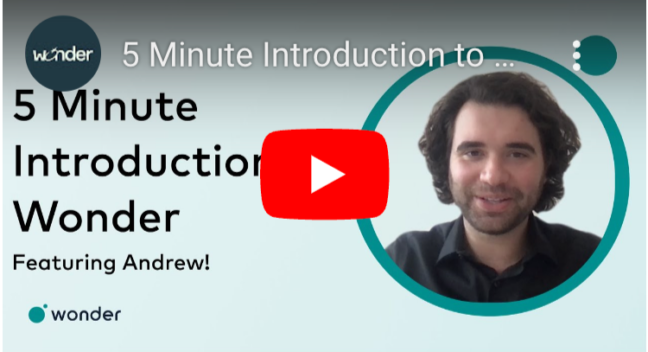
Wonder.me is a platform to connect with other people. This connection can take the form of virtual networking, virtual gatherings, and virtual spaces.This platform is simple to navigate and it gives you the freedom to move from one space to another by moving your avatar to another area or circle. Does it sound complicated? Watch this short video to see how Wonder.me works and what it looks like

Wonder.me Introduction

How does it differ from Zoom/Teams?

Zoom and Teams are great and they have their own purpose. I have used both of them when teaching, and depending on what I am planning to do I would choose one or the other.  My premise is to choose the best edtech tool for my students to thrive, and Wonder.me gives me another option to connect my students among themselves and to the world.

What do you need to do?

To use Wonder.me in a language class, you need to create an account with Wonder.me, which is free, and you need to become a host – you can also have co-hosts. That way you can invite guests to join your students and you to Wonder.me.

As a host, you set up different areas, decide the content for each area, and plan how students will interact. You decide how much autonomy you want to give your students and you also have the option of talking to all the groups/circles/areas by making announcements when needed. You can decide what background to choose depending on the unit of study. As a host you can include a question that everybody has to answer to join your Wonder.me space and much more!

This 5 minute video gives you an idea of what a host can do and how it is done.

When can Wonder.me be used in language teaching and learning?

Wonder.me’s mission, “to give the world a space where groups can meet and talk” goes hand in hand with the nature of a language class: to have students think in another language and communicate their ideas orally and in writing with others –the chat feature works great for this. 

As you can see, there are many possibilities to be explored in a language class using Wonder.me. Here are two examples of how I would use Wonder.me in a language class:

Book circles:

This applies when reading books in your own class or with a classroom partner 

  • When reading the same novel, have students choose or assign students to join different circles for each character in a book
  • When reading different books, each circle hosts students that are reading the same book

Collaboration Spaces:

This applies to groups in your own class or with groups between your class and a classroom partner. Students navigate to a circle in order to…

  • discuss topics
  • solve a problem 
  • provide definitions of their own
  • create a story
  • analyze an image using a PZ Thinking Routine
  • investigate and research 
  • prepare for an interview
  • Interview other students

One of the features that I like the most about Wonder.me is that you can see where every student is at any given time. That, to me, is precious!.

Do you have a favorite edtech tool to use in your language classes?